thedotmack / claude-mem
- среда, 10 декабря 2025 г. в 00:00:03
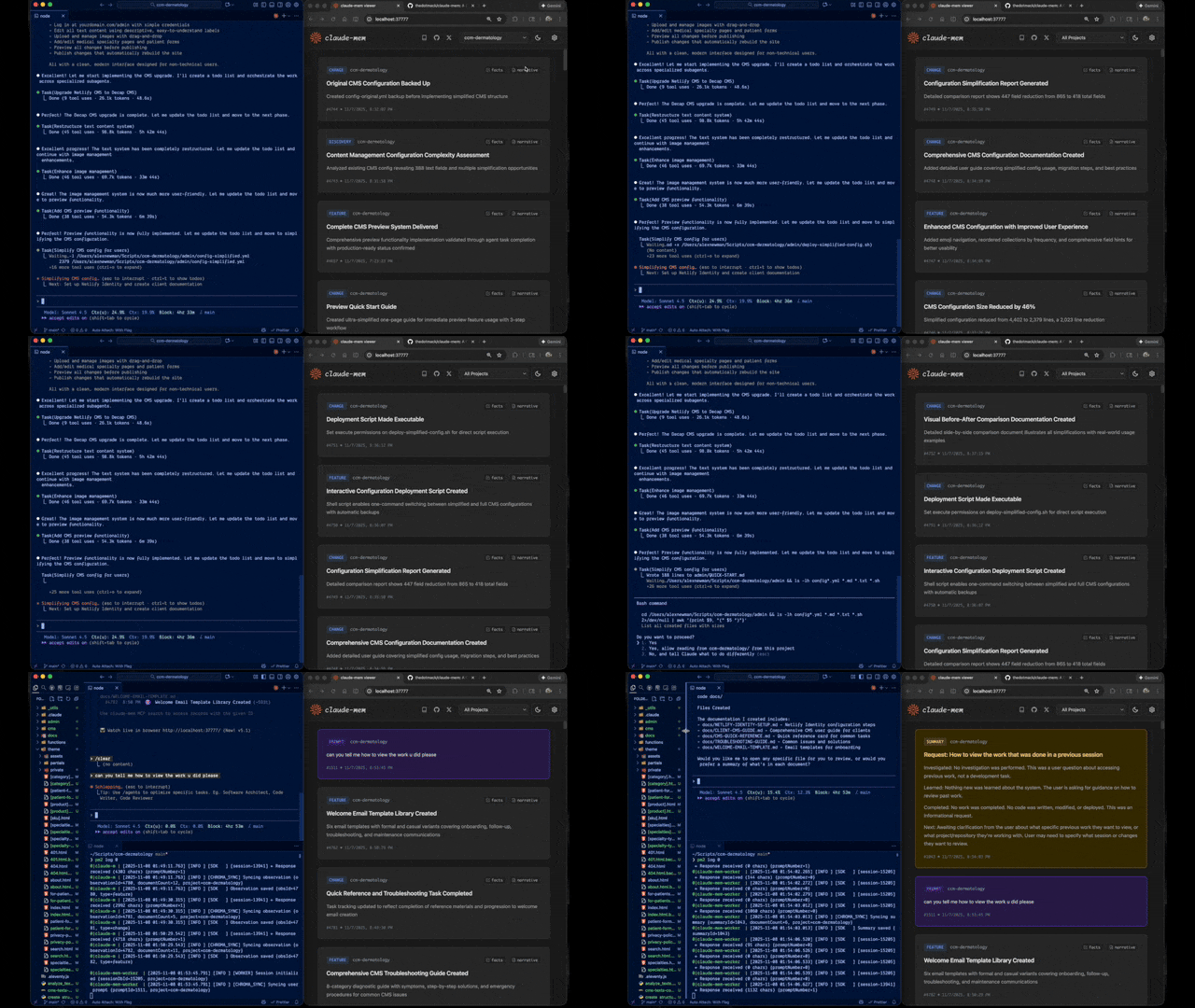
A Claude Code plugin that automatically captures everything Claude does during your coding sessions, compresses it with AI (using Claude's agent-sdk), and injects relevant context back into future sessions.




Quick Start • How It Works • Search Tools • Documentation • Configuration • Troubleshooting • License
Claude-Mem seamlessly preserves context across sessions by automatically capturing tool usage observations, generating semantic summaries, and making them available to future sessions. This enables Claude to maintain continuity of knowledge about projects even after sessions end or reconnect.
Start a new Claude Code session in the terminal and enter the following commands:
> /plugin marketplace add thedotmack/claude-mem

> /plugin install claude-mem
Restart Claude Code. Context from previous sessions will automatically appear in new sessions.
Key Features:
<private> tags to exclude sensitive content from storageclaude-mem:// URIs📚 View Full Documentation - Browse markdown docs on GitHub
💻 Local Preview: Run Mintlify docs locally:
cd docs
npx mintlify dev┌─────────────────────────────────────────────────────────────┐
│ Session Start → Inject recent observations as context │
└─────────────────────────────────────────────────────────────┘
↓
┌─────────────────────────────────────────────────────────────┐
│ User Prompts → Create session, save user prompts │
└─────────────────────────────────────────────────────────────┘
↓
┌─────────────────────────────────────────────────────────────┐
│ Tool Executions → Capture observations (Read, Write, etc.) │
└─────────────────────────────────────────────────────────────┘
↓
┌─────────────────────────────────────────────────────────────┐
│ Worker Processes → Extract learnings via Claude Agent SDK │
└─────────────────────────────────────────────────────────────┘
↓
┌─────────────────────────────────────────────────────────────┐
│ Session Ends → Generate summary, ready for next session │
└─────────────────────────────────────────────────────────────┘
Core Components:
See Architecture Overview for details.
Claude-Mem provides intelligent search through the mem-search skill that auto-invokes when you ask about past work:
How It Works:
Available Search Operations:
Example Natural Language Queries:
"What bugs did we fix last session?"
"How did we implement authentication?"
"What changes were made to worker-service.ts?"
"Show me recent work on this project"
"What was happening when we added the viewer UI?"
See Search Tools Guide for detailed examples.
Claude-Mem offers a beta channel with experimental features. Switch between stable and beta versions directly from the web viewer UI.
Your memory data is preserved when switching versions.
The flagship beta feature is Endless Mode - a biomimetic memory architecture that dramatically extends session length:
The Problem: Standard Claude Code sessions hit context limits after ~50 tool uses. Each tool adds 1-10k+ tokens, and Claude re-synthesizes all previous outputs on every response (O(N²) complexity).
The Solution: Endless Mode compresses tool outputs into ~500-token observations and transforms the transcript in real-time:
Working Memory (Context):     Compressed observations (~500 tokens each)
Archive Memory (Disk):        Full tool outputs preserved for recall
Expected Results:
Caveats: Adds latency (60-90s per tool for observation generation), still experimental.
See Beta Features Documentation for details.
v6.4.9 - Context Configuration Settings:
v6.4.0 - Dual-Tag Privacy System:
<private> tags for user-controlled privacy - wrap sensitive content to exclude from storage<claude-mem-context> tags prevent recursive observation storagev6.3.0 - Version Channel:
Previous Highlights:
See CHANGELOG.md for complete version history.
/clear commandsModel Selection:
./claude-mem-settings.shEnvironment Variables:
CLAUDE_MEM_MODEL - AI model for processing (default: claude-haiku-4-5)CLAUDE_MEM_WORKER_PORT - Worker port (default: 37777)CLAUDE_MEM_DATA_DIR - Data directory override (dev only)CLAUDE_MEM_PYTHON_VERSION - Python version for uvx/chroma-mcp (default: 3.13)See Configuration Guide for details.
# Clone and build
git clone https://github.com/thedotmack/claude-mem.git
cd claude-mem
npm install
npm run build

# Run tests
npm test

# Start worker
npm run worker:start

# View logs
npm run worker:logs
See Development Guide for detailed instructions.
Quick Diagnostic:
If you're experiencing issues, describe the problem to Claude and the troubleshoot skill will automatically activate to diagnose and provide fixes.
Common Issues:
npm run worker:restartnpm run test:contextsqlite3 ~/.claude-mem/claude-mem.db "PRAGMA integrity_check;"See Troubleshooting Guide for complete solutions.
Contributions are welcome! Please:
See Development Guide for contribution workflow.
This project is licensed under the GNU Affero General Public License v3.0 (AGPL-3.0).
Copyright (C) 2025 Alex Newman (@thedotmack). All rights reserved.
See the LICENSE file for full details.
What This Means:
Built with Claude Agent SDK | Powered by Claude Code | Made with TypeScript
