open-mercato / open-mercato
- пятница, 20 февраля 2026 г. в 00:00:01
AI‑supportive CRM / ERP foundation framework — built to power R&D, new processes, operations, and growth. It’s modular, extensible, and designed for teams that want strong defaults with room to customize everything. Better than Django, Retool and other alternatives - and Enterprise Grade!




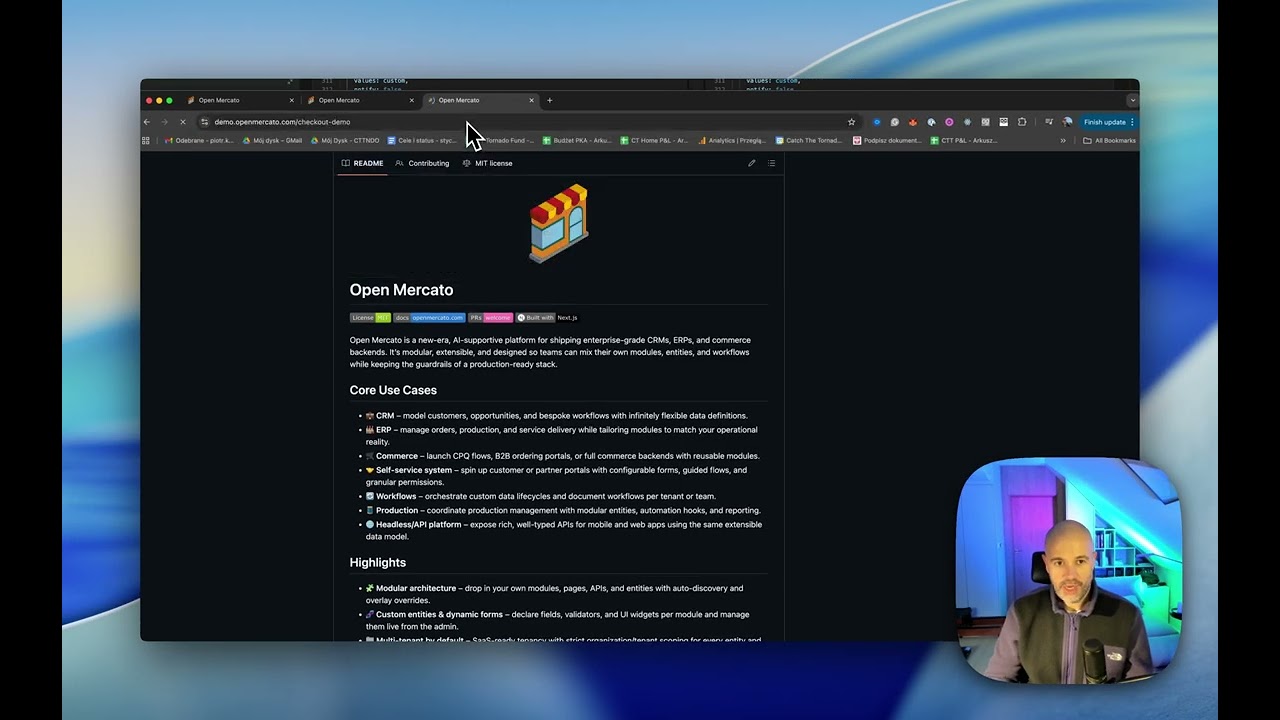
Open Mercato is a new‑era, AI‑supportive platform for shipping enterprise‑grade CRMs, ERPs, and commerce backends. It’s modular, extensible, and designed so teams can mix their own modules, entities, and workflows while keeping the guardrails of a production-ready stack.
Buy vs. build? Now, you can have best of both. Use Open Mercato enterprise ready business features like CRM, Sales, OMS, Encryption and build the remaining 20% that really makes the difference for your business.
 |
 |
 |
| Order Shipments | Organizations | Users |
 |
 |
 |
| Roles & ACL | Custom Fields | Custom Entity Records |
 |
 |
 |
| Add New Customer | Deals Pipeline | Customer Notes |
 |
|
 |
| Sales Pipeline | Order Shipments | Order Totals |
 |
 |
 |
| Catalog Products | Sales Channels | Channel Offers |

|
||
| Home overview with enabled modules list | ||
src/modules/<module> with auto‑discovered frontend/backend pages, APIs, CLI, i18n, and DB entities.di.ts.directory module defines tenants and organizations. Most entities carry tenant_id + organization_id.Read more on the Open Mercato Architecture
Open Mercato includes a built-in AI Assistant that can discover and interact with your data model and APIs. The assistant uses MCP (Model Context Protocol) to expose tools for schema discovery and API execution.
 |
 |
 |
| Chat Interface | Settings | MCP Tools |
Key capabilities:
MCP Tools:
| Tool | Purpose |
|---|---|
discover_schema |
Search entity schemas by name or keyword |
find_api |
Find API endpoints by natural language query |
call_api |
Execute API calls with tenant context |
context_whoami |
Get current authentication context |
Integration modes:
yarn mcp:dev) – For Claude Code and local development with API key authyarn mcp:serve) – For web AI chat with session tokensSee the AI Assistant specification for detailed documentation on entity extraction, OpenAPI integration, and search indexing.
Open Mercato ships with tenant-scoped, field-level data encryption so PII and sensitive business data stay protected while you keep the flexibility of custom entities and fields. Encryption maps live in the admin UI/database, letting you pick which system and custom columns are encrypted; MikroORM hooks automatically encrypt on write and decrypt on read while keeping deterministic hashes (e.g., email_hash) for lookups.
Architecture in two lines: Vault/KMS (or a derived-key fallback) issues per-tenant DEKs and caches them so performance stays snappy; AES-GCM wrappers sit in the ORM lifecycle, storing ciphertext at rest while CRUD and APIs keep working with plaintext. Read the docs to dive deeper: docs.openmercato.com/user-guide/encryption.
We have migrated Open Mercato to a monorepo structure. If you're upgrading from a previous version, please note the following changes:
The codebase is now organized into:
packages/ - Shared libraries and modules (@open-mercato/core, @open-mercato/ui, @open-mercato/shared, @open-mercato/cli, @open-mercato/cache, @open-mercato/events, @open-mercato/queue, @open-mercato/content, @open-mercato/onboarding, @open-mercato/search)apps/ - Applications (main app in apps/mercato, docs in apps/docs)Important note on storage: The storage folder has been moved to the apps/mercato folder as well. If you instance has got any attachments uploaded, please make sure you run:
mv storage apps/mercato/storage... from the root Open Mercato folder.
Import aliases have changed from path-based to package-based imports:
@/lib/..., @/components/..., @/modules/...@open-mercato/shared/lib/..., @open-mercato/ui/components/..., @open-mercato/core/modules/..., etc.The .env file now must live in apps/mercato instead of the project root.
The fastest way to start is to copy the example file:
cp apps/mercato/.env.example apps/mercato/.envAt minimum, set DATABASE_URL, JWT_SECRET, and REDIS_URL (or EVENTS_REDIS_URL) before bootstrapping.
Yarn 4 is now required. Ensure you have Yarn 4+ installed before proceeding.
This is a quickest way to get Open Mercato up and running on your localhost / server - ready for testing / demoing or for Core development!
Node.js 24.x is required
# macOS (Homebrew)
brew install node@24

# Windows (Chocolatey)
choco install nodejs --version=24.x

# Or use nvm (any platform)
nvm install 24
nvm use 24
Windows: Use Docker Setup for native setup.
Prerequisites: Yarn 4+
git clone https://github.com/open-mercato/open-mercato.git
cd open-mercato
git checkout develop
yarn install

cp apps/mercato/.env.example apps/mercato/.env # EDIT this file to set up your specific files
#At minimum, set `DATABASE_URL`, `JWT_SECRET`, and `REDIS_URL` (or `EVENTS_REDIS_URL`) before bootstrapping.

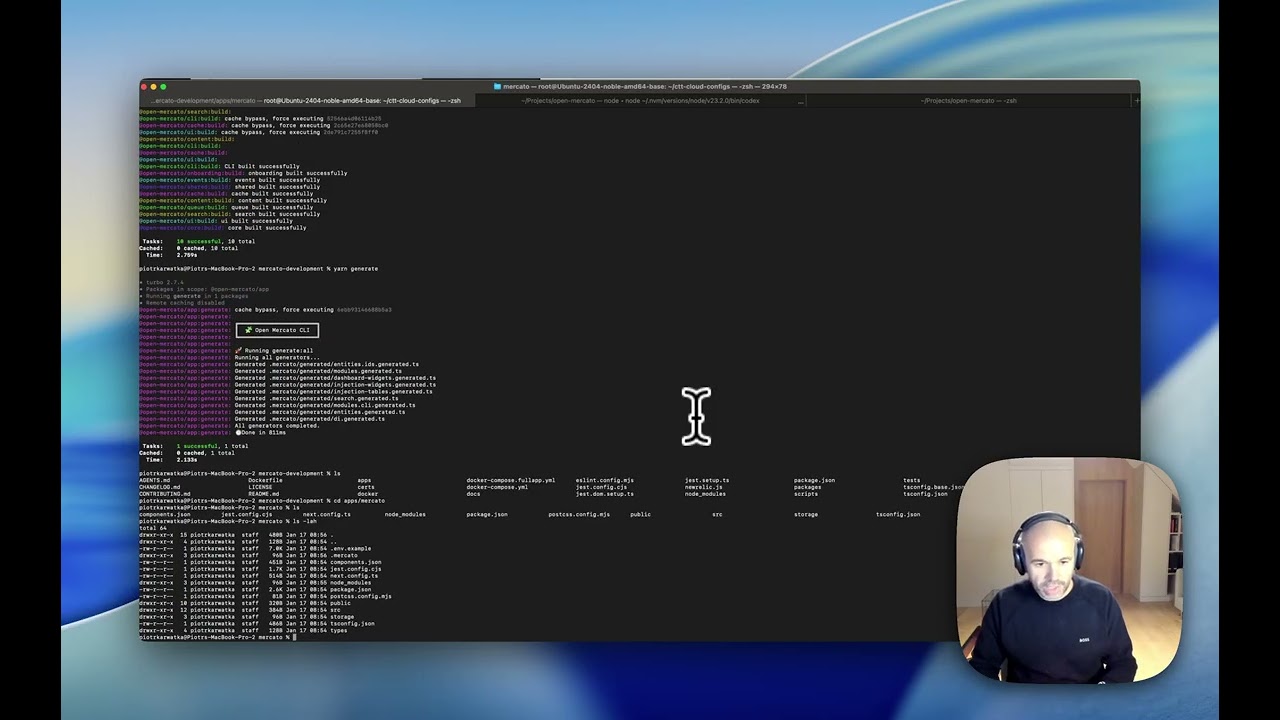
yarn generate
yarn initialize # or yarn reinstall
yarn dev
For a fresh greenfield boot (build packages, generate registries, reinstall modules, then start dev), run:
yarn dev:greenfieldNavigate to http://localhost:3000/backend and sign in with the default credentials printed by yarn initialize.
Full installation guide (including prerequisites, Docker setup, and cloud deployment): docs.openmercato.com/installation/setup
Open Mercato offers two Docker Compose configurations — one for development (with hot reload) and one for production. Both run the full stack (app + PostgreSQL + Redis + Meilisearch) in containers. The dev mode is the recommended setup for Windows users.
Run the entire stack with source code mounted from the host. File changes trigger automatic rebuilds — no local Node.js or Yarn required.
git clone https://github.com/open-mercato/open-mercato.git
cd open-mercato
git checkout develop
docker compose -f docker-compose.fullapp.dev.yml up --build
Windows users: Ensure WSL 2 backend is enabled in Docker Desktop and clone with git config --global core.autocrlf input to avoid line-ending issues.
docker compose -f docker-compose.fullapp.yml up --buildCommon operations:
docker compose -f docker-compose.fullapp.yml up -ddocker compose -f docker-compose.fullapp.yml logs -f appdocker compose -f docker-compose.fullapp.yml downdocker compose -f docker-compose.fullapp.yml up --buildNavigate to http://localhost:3000/backend and sign in with the default credentials (admin@example.com).
Before starting, you may want to configure the following environment variables. Create a .env file in the project root or export them in your shell:
| Variable | Required | Default | Description |
|---|---|---|---|
JWT_SECRET |
For production | JWT |
Secret key for JWT token signing. Use a strong, unique value in production. |
POSTGRES_PASSWORD |
For production | postgres |
PostgreSQL database password. Use a strong password in production. |
POSTGRES_USER |
No | postgres |
PostgreSQL database user |
POSTGRES_DB |
No | open-mercato |
PostgreSQL database name |
POSTGRES_PORT |
No | 5432 |
PostgreSQL exposed port |
REDIS_PORT |
No | 6379 |
Redis exposed port |
MEILISEARCH_MASTER_KEY |
For production | meilisearch-dev-key |
Meilisearch API key. Use a strong key in production. |
MEILISEARCH_PORT |
No | 7700 |
Meilisearch exposed port |
OPENAI_API_KEY |
No | - | OpenAI API key (enables AI features) |
ANTHROPIC_API_KEY |
No | - | Anthropic API key (for opencode service) |
OPENCODE_PORT |
No | 4096 |
Opencode service exposed port |
Example .env file for production:
JWT_SECRET=your-strong-secret-key-here
POSTGRES_PASSWORD=your-strong-db-password
MEILISEARCH_MASTER_KEY=your-strong-meilisearch-key
OPENAI_API_KEY=sk-... # Optional, for AI featuresFor production deployments, ensure strong JWT_SECRET, secure database credentials, and consider managed database services. See the full Docker deployment guide for detailed configuration and production tips.
The recommended way to build on Open Mercato without modifying the core is to create a standalone app. This gives you a self-contained project that pulls Open Mercato packages from npm — your own modules, overrides, and customizations live in your repo while core stays untouched and upgradeable.
npx create-mercato-app my-store
cd my-store
cp .env.example .env   # configure DATABASE_URL, JWT_SECRET, REDIS_URL
docker compose up -d   # start PostgreSQL, Redis, Meilisearch
yarn install
yarn initialize
yarn dev
Navigate to http://localhost:3000/backend and sign in with the credentials printed by yarn initialize.
Drop your own modules into src/modules/ and register them in src/modules.ts with from: '@app':
export const enabledModules: ModuleEntry[] = [
  // ... core modules
  { id: 'inventory', from: '@app' },
]
Run yarn generate and yarn dev — your module's pages, APIs, and entities are auto-discovered.
When you need to change the internals of a core module (entities, business logic, UI), eject it. The mercato eject command copies the module source into your src/modules/ directory and switches it to local, so you can modify it freely while all other modules keep receiving package updates.
# See which modules support ejection
yarn mercato eject --list

# Eject a module (e.g., currencies)
yarn mercato eject currencies
yarn mercato generate all
yarn dev
Currently ejectable: catalog, currencies, customers, perspectives, planner, resources, sales, staff, workflows.
Full guide: docs.openmercato.com/customization/standalone-app · CLI reference: docs.openmercato.com/cli/eject

Browse the full documentation at docs.openmercato.com.
Open Mercato follows a spec-first development approach. Before implementing new features or making significant changes, we document the design in the .ai/specs/ folder.
.ai/specs/ (named SPEC-###-YYYY-MM-DD-title.md)Naming convention: Specs use the format SPEC-{number}-{date}-{title}.md (e.g., SPEC-007-2026-01-26-sidebar-reorganization.md)
See .ai/specs/README.md for the full specification directory and .ai/specs/AGENTS.md for detailed guidelines on maintaining specs.
Connect with the team and other builders in our Discord community: https://discord.gg/f4qwPtJ3qA.
We welcome contributions of all sizes—from fixes and docs updates to new modules. Start by reading CONTRIBUTING.md for branching conventions (main, develop, feat/<feature>), release flow, and the full PR checklist. Then check the open issues or propose an idea in a discussion, and:
yarn install and bootstrap via yarn mercato init (add --no-examples to skip demo CRM content; --stresstest for thousands of synthetic contacts, companies, deals, and timeline interactions; or --stresstest --lite for high-volume contacts without the heavier extras).yarn lint, yarn test, or the relevant module scripts).Refer to AGENTS.md for deeper guidance on architecture and conventions when extending modules.
Open Mercato is proudly supported by Catch The Tornado.

Open Mercato let the module developers to expose the custom CLI commands for variouse maintenance tasks. Read more on the CLI documentation
LICENSE for details.