moltbot / moltbot
- пятница, 30 января 2026 г. в 00:00:02
Your own personal AI assistant. Any OS. Any Platform. The lobster way. 🦞
EXFOLIATE! EXFOLIATE!





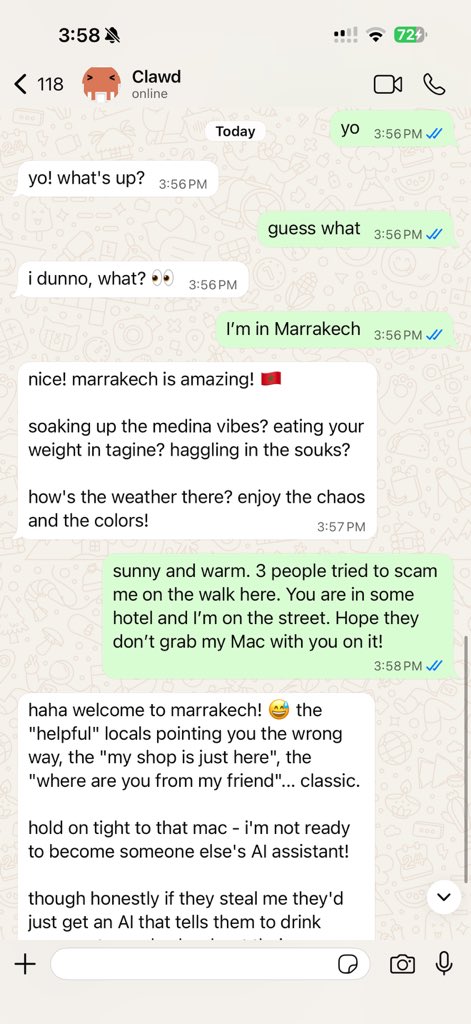
Moltbot is a personal AI assistant you run on your own devices. It answers you on the channels you already use (WhatsApp, Telegram, Slack, Discord, Google Chat, Signal, iMessage, Microsoft Teams, WebChat), plus extension channels like BlueBubbles, Matrix, Zalo, and Zalo Personal. It can speak and listen on macOS/iOS/Android, and can render a live Canvas you control. The Gateway is just the control plane — the product is the assistant.
If you want a personal, single-user assistant that feels local, fast, and always-on, this is it.
Website · Docs · Getting Started · Updating · Showcase · FAQ · Wizard · Nix · Docker · Discord
Preferred setup: run the onboarding wizard (moltbot onboard). It walks through gateway, workspace, channels, and skills. The CLI wizard is the recommended path and works on macOS, Linux, and Windows (via WSL2; strongly recommended).
Works with npm, pnpm, or bun.
New install? Start here: Getting started
Subscriptions (OAuth):
Model note: while any model is supported, I strongly recommend Anthropic Pro/Max (100/200) + Opus 4.5 for long‑context strength and better prompt‑injection resistance. See Onboarding.
Runtime: Node ≥22.
npm install -g moltbot@latest
# or: pnpm add -g moltbot@latest

moltbot onboard --install-daemon
The wizard installs the Gateway daemon (launchd/systemd user service) so it stays running.
Legacy note: clawdbot remains available as a compatibility shim.
Runtime: Node ≥22.
Full beginner guide (auth, pairing, channels): Getting started
moltbot onboard --install-daemon

moltbot gateway --port 18789 --verbose

# Send a message
moltbot message send --to +1234567890 --message "Hello from Moltbot"

# Talk to the assistant (optionally deliver back to any connected channel: WhatsApp/Telegram/Slack/Discord/Google Chat/Signal/iMessage/BlueBubbles/Microsoft Teams/Matrix/Zalo/Zalo Personal/WebChat)
moltbot agent --message "Ship checklist" --thinking high
Upgrading? Updating guide (and run moltbot doctor).
vYYYY.M.D or vYYYY.M.D-<patch>), npm dist-tag latest.vYYYY.M.D-beta.N), npm dist-tag beta (macOS app may be missing).main, npm dist-tag dev (when published).Switch channels (git + npm): moltbot update --channel stable|beta|dev.
Details: Development channels.
Prefer pnpm for builds from source. Bun is optional for running TypeScript directly.
git clone https://github.com/moltbot/moltbot.git
cd moltbot

pnpm install
pnpm ui:build # auto-installs UI deps on first run
pnpm build

pnpm moltbot onboard --install-daemon

# Dev loop (auto-reload on TS changes)
pnpm gateway:watch
Note: pnpm moltbot ... runs TypeScript directly (via tsx). pnpm build produces dist/ for running via Node / the packaged moltbot binary.
Moltbot connects to real messaging surfaces. Treat inbound DMs as untrusted input.
Full security guide: Security
Default behavior on Telegram/WhatsApp/Signal/iMessage/Microsoft Teams/Discord/Google Chat/Slack:
dmPolicy="pairing" / channels.discord.dm.policy="pairing" / channels.slack.dm.policy="pairing"): unknown senders receive a short pairing code and the bot does not process their message.moltbot pairing approve <channel> <code> (then the sender is added to a local allowlist store).dmPolicy="open" and include "*" in the channel allowlist (allowFrom / channels.discord.dm.allowFrom / channels.slack.dm.allowFrom).Run moltbot doctor to surface risky/misconfigured DM policies.
main for direct chats, group isolation, activation modes, queue modes, reply-back. Group rules: Groups.WhatsApp / Telegram / Slack / Discord / Google Chat / Signal / iMessage / BlueBubbles / Microsoft Teams / Matrix / Zalo / Zalo Personal / WebChat
│
▼
┌───────────────────────────────┐
│ Gateway │
│ (control plane) │
│ ws://127.0.0.1:18789 │
└──────────────┬────────────────┘
│
├─ Pi agent (RPC)
├─ CLI (moltbot …)
├─ WebChat UI
├─ macOS app
└─ iOS / Android nodes
location.get, notifications, plus macOS‑only system.run/system.notify.Moltbot can auto-configure Tailscale Serve (tailnet-only) or Funnel (public) while the Gateway stays bound to loopback. Configure gateway.tailscale.mode:
off: no Tailscale automation (default).serve: tailnet-only HTTPS via tailscale serve (uses Tailscale identity headers by default).funnel: public HTTPS via tailscale funnel (requires shared password auth).Notes:
gateway.bind must stay loopback when Serve/Funnel is enabled (Moltbot enforces this).gateway.auth.mode: "password" or gateway.auth.allowTailscale: false.gateway.auth.mode: "password" is set.gateway.tailscale.resetOnExit to undo Serve/Funnel on shutdown.Details: Tailscale guide · Web surfaces
It’s perfectly fine to run the Gateway on a small Linux instance. Clients (macOS app, CLI, WebChat) can connect over Tailscale Serve/Funnel or SSH tunnels, and you can still pair device nodes (macOS/iOS/Android) to execute device‑local actions when needed.
system.run, camera, screen recording, notifications) via node.invoke.
In short: exec runs where the Gateway lives; device actions run where the device lives.Details: Remote access · Nodes · Security
The macOS app can run in node mode and advertises its capabilities + permission map over the Gateway WebSocket (node.list / node.describe). Clients can then execute local actions via node.invoke:
system.run runs a local command and returns stdout/stderr/exit code; set needsScreenRecording: true to require screen-recording permission (otherwise you’ll get PERMISSION_MISSING).system.notify posts a user notification and fails if notifications are denied.canvas.*, camera.*, screen.record, and location.get are also routed via node.invoke and follow TCC permission status.Elevated bash (host permissions) is separate from macOS TCC:
/elevated on|off to toggle per‑session elevated access when enabled + allowlisted.sessions.patch (WS method) alongside thinkingLevel, verboseLevel, model, sendPolicy, and groupActivation.Details: Nodes · macOS app · Gateway protocol
sessions_list — discover active sessions (agents) and their metadata.sessions_history — fetch transcript logs for a session.sessions_send — message another session; optional reply‑back ping‑pong + announce step (REPLY_SKIP, ANNOUNCE_SKIP).Details: Session tools
ClawdHub is a minimal skill registry. With ClawdHub enabled, the agent can search for skills automatically and pull in new ones as needed.
Send these in WhatsApp/Telegram/Slack/Google Chat/Microsoft Teams/WebChat (group commands are owner-only):
/status — compact session status (model + tokens, cost when available)/new or /reset — reset the session/compact — compact session context (summary)/think <level> — off|minimal|low|medium|high|xhigh (GPT-5.2 + Codex models only)/verbose on|off/usage off|tokens|full — per-response usage footer/restart — restart the gateway (owner-only in groups)/activation mention|always — group activation toggle (groups only)The Gateway alone delivers a great experience. All apps are optional and add extra features.
If you plan to build/run companion apps, follow the platform runbooks below.
Note: signed builds required for macOS permissions to stick across rebuilds (see docs/mac/permissions.md).
moltbot nodes ….Runbook: iOS connect.
~/clawd (configurable via agents.defaults.workspace).AGENTS.md, SOUL.md, TOOLS.md.~/clawd/skills/<skill>/SKILL.md.Minimal ~/.clawdbot/moltbot.json (model + defaults):
{
  agent: {
    model: "anthropic/claude-opus-4-5"
  }
}
Full configuration reference (all keys + examples).
agents.defaults.sandbox.mode: "non-main" to run non‑main sessions (groups/channels) inside per‑session Docker sandboxes; bash then runs in Docker for those sessions.bash, process, read, write, edit, sessions_list, sessions_history, sessions_send, sessions_spawn; denylist browser, canvas, nodes, cron, discord, gateway.Details: Security guide · Docker + sandboxing · Sandbox config
pnpm moltbot channels login (stores creds in ~/.clawdbot/credentials).channels.whatsapp.allowFrom.channels.whatsapp.groups is set, it becomes a group allowlist; include "*" to allow all.TELEGRAM_BOT_TOKEN or channels.telegram.botToken (env wins).channels.telegram.groups (with channels.telegram.groups."*".requireMention); when set, it is a group allowlist (include "*" to allow all). Also channels.telegram.allowFrom or channels.telegram.webhookUrl as needed.{
channels: {
telegram: {
botToken: "123456:ABCDEF"
}
}
}SLACK_BOT_TOKEN + SLACK_APP_TOKEN (or channels.slack.botToken + channels.slack.appToken).DISCORD_BOT_TOKEN or channels.discord.token (env wins).commands.native, commands.text, or commands.useAccessGroups, plus channels.discord.dm.allowFrom, channels.discord.guilds, or channels.discord.mediaMaxMb as needed.{
channels: {
discord: {
token: "1234abcd"
}
}
}signal-cli and a channels.signal config section.channels.imessage.groups is set, it becomes a group allowlist; include "*" to allow all.msteams config section.msteams.allowFrom; group access via msteams.groupAllowFrom or msteams.groupPolicy: "open".Browser control (optional):
{
  browser: {
    enabled: true,
    color: "#FF4500"
  }
}Use these when you’re past the onboarding flow and want the deeper reference.
Moltbot was built for Molty, a space lobster AI assistant. 🦞 by Peter Steinberger and the community.
See CONTRIBUTING.md for guidelines, maintainers, and how to submit PRs. AI/vibe-coded PRs welcome! 🤖
Special thanks to Mario Zechner for his support and for pi-mono.
Thanks to all clawtributors:


![google-labs-jules[bot]](https://avatars.githubusercontent.com/in/842251?v=4&s=48 "google-labs-jules[bot]")


![dependabot[bot]](https://avatars.githubusercontent.com/in/29110?v=4&s=48 "dependabot[bot]")


![blacksmith-sh[bot]](https://avatars.githubusercontent.com/in/807020?v=4&s=48 "blacksmith-sh[bot]")


