jellyfin / jellyfin-desktop
- вторник, 16 декабря 2025 г. в 00:00:02
Jellyfin Desktop Client
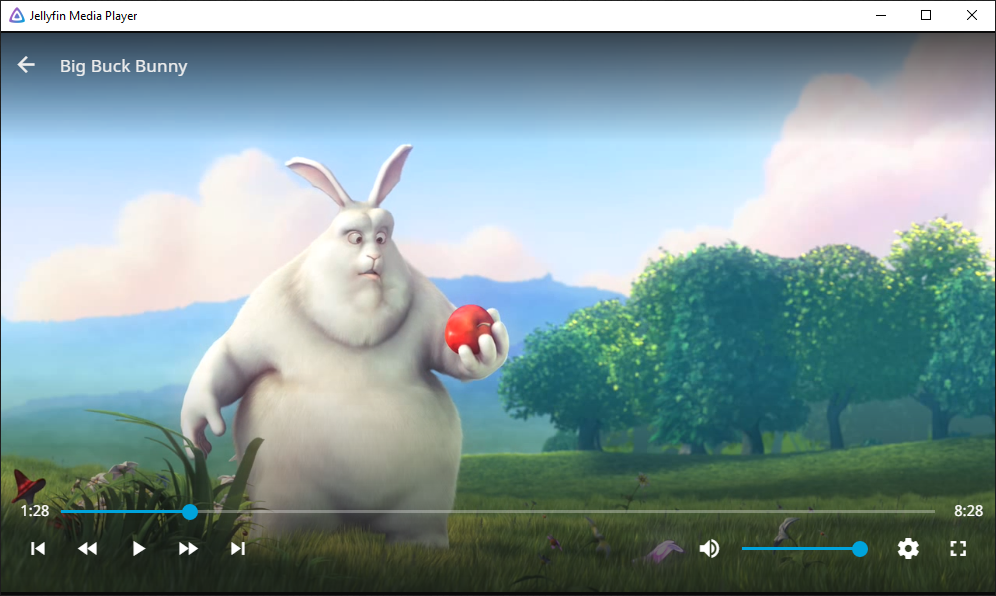
Desktop client using jellyfin-web with embedded MPV player. Supports Windows, Mac OS, and Linux. Media plays within the same window using the jellyfin-web interface unlike Jellyfin Desktop. Supports audio passthrough.
Downloads:
Related Documents:
To download the latest stable release, get the latest version tag from the latest releases page and append the following to your pull command during the build phase for JMP "--branch $VERSIONTAG --single-branch"
Example:
git clone --recursive https://github.com/jellyfin/jellyfin-desktop.git --branch v1.9.1 --single-branchInstall dependencies:
sudo apt install  autoconf automake build-essential cmake curl g++ git libasound2-dev libcec-dev libegl1-mesa-dev libfontconfig1-dev libfreetype6-dev libfribidi-dev libgl1-mesa-dev libgnutls28-dev libharfbuzz-dev libpulse-dev libsdl2-dev libtool libuchardet-dev libva-dev libvdpau-dev libx11-dev libxrandr-dev mesa-common-dev meson python3 qml6-module-qtqml-workerscript qml6-module-qtquick-controls qml6-module-qtquick-templates qml6-module-qtquick-window qml6-module-qtwebchannel qml6-module-qtwebengine qml6-module-qtwebengine-controlsdelegates qml6-module-qtwebview qt6-base-private-dev qt6-webengine-private-dev unzip wget yasm zlib1g-dev
mkdir ~/jmp; cd ~/jmp
git clone https://github.com/mpv-player/mpv-build.git
cd mpv-build
./use-mpv-release
./update
echo -Dlibmpv=true > mpv_options
./rebuild -j$(nproc)
sudo ./install
sudo ln -s /usr/local/lib/x86_64-linux-gnu/libmpv.so /usr/local/lib/x86_64-linux-gnu/libmpv.so.1
sudo ln -sf /usr/local/lib/x86_64-linux-gnu/libmpv.so /usr/local/lib/libmpv.so.2
sudo ldconfig
cd ~/jmp/
git clone --recursive https://github.com/jellyfin/jellyfin-desktop.git
cd jellyfin-desktop
mkdir build
cd build
cmake -DCMAKE_BUILD_TYPE=Debug -DCMAKE_INSTALL_PREFIX=/usr/local/ -G Ninja ..
ninja
sudo ninja install
rm -rf ~/jmp/Install dependencies:
sudo dnf install autoconf automake libtool freetype-devel libXrandr-devel libvdpau-devel libva-devel mesa-libGL-devel libdrm-devel libX11-devel mesa-libEGL-devel yasm alsa-lib pulseaudio-libs-devel zlib-devel fribidi-devel git gnutls-devel mesa-libGLU-devel SDL2-devel cmake wget python g++ qt-devel libcec-devel qt6-qtbase-devel curl unzip qt6-qtwebchannel-devel qt6-qtwebengine-devel mpv.x86_64 qt6-qtbase.x86_64 meson.noarch ninja-build.x86_64 qt6-qtbase-private-devel mpv-libs.x86_64 mpv-devel qt6-qtdeclarative nasm libatomic libshaderc mpvqt-develBuild commands for Fedora:
Note, the only real differences here is that libraries are in diffrent directories on Fedora systems.
mkdir ~/jmp; cd ~/jmp
git clone https://github.com/mpv-player/mpv-build.git
cd mpv-build/
echo -Dlibmpv=true > mpv_options
echo -Dpipewire=disabled >> mpv_options # hopefully temporary
./rebuild -j`nproc`
sudo ./install
sudo mkdir /usr/local/lib/x86_64-linux-gnu
sudo ln -s /usr/local/lib64/libmpv.so /usr/local/lib/x86_64-linux-gnu/libmpv.so.1
sudo ln -s /usr/local/lib64/libmpv.so /usr/local/lib/x86_64-linux-gnu/libmpv.so
sudo ldconfig
cd ~/jmp/
git clone --recursive https://github.com/jellyfin/jellyfin-desktop.git
cd jellyfin-desktop/
mkdir build
cd build/
cmake -DCMAKE_BUILD_TYPE=Debug -DCMAKE_INSTALL_PREFIX=/usr/local/ ..
make -j`nproc`
sudo make installPlease install:
mpv.include folder to an mpv folder inside the include folder.mpv-1.dll to mpv.dll.You need to run these commands in git bash.
git clone --recursive https://github.com/jellyfin/jellyfin-desktop
cd jellyfin-desktop
mkdir build
cd build
Open the "x86_x64 Cross Tools Command Prompt for VS 2019". cd to the build directory. Run:
set PATH=%PATH%;C:\Program Files (x86)\WiX Toolset v3.11\bin
cmake -GNinja -DCMAKE_BUILD_TYPE=RelWithDebInfo -DCMAKE_INSTALL_PREFIX=output -DCMAKE_MAKE_PROGRAM=ninja.exe -DQTROOT=C:/Qt/6.x.x/msvc2019_64 -DMPV_INCLUDE_DIR=mpv/include -DMPV_LIBRARY=mpv/libmpv-2.dll -DCMAKE_INSTALL_PREFIX=output ..
lib /def:mpv\mpv.def /out:mpv\mpv.dll.lib /MACHINE:X64
ninja
ninja windows_package
Install Qt 6, remember to check Qt WebEngine.
Then run the following commands (replace <QT_DIR> with your QT installation location):
brew install mpv ninja

git clone --recursive https://github.com/jellyfin/jellyfin-desktop.git
cd jellyfin-desktop
mkdir build
cd build
cmake -GNinja -DQTROOT=<QT_DIR> -DCMAKE_BUILD_TYPE=Release -DCMAKE_INSTALL_PREFIX=output ..
ninja install
To create redistributable bundle, some library paths need to be fixed. At the project root directory, run:
python3 ./scripts/fix-install-names.py "./build/output/Jellyfin Desktop.app"%LOCALAPPDATA%\Jellyfin Desktop\logs~/.local/share/jellyfin-desktop/logs/~/.var/app/org.jellyfin.JellyfinDesktop/data/jellyfin-desktop/logs/~/Library/Logs/Jellyfin Desktop/The main configuration file is called jellyfin-desktop.conf. You can also add a mpv.conf to configure MPV directly.
%LOCALAPPDATA%\Jellyfin Desktop\~/.local/share/jellyfin-desktop/~/.var/app/org.jellyfin.JellyfinDesktop/data/jellyfin-desktop/~/Library/Application Support/Jellyfin Desktop/To get browser devtools, use remote debugging.
--remote-debugging-port=9222.chrome://inspect/#devices.If you have problems:
localhost:9222 is in the list under "Configure...".--remote-debugging-port=9222 is specified correctly.Jellyfin Desktop is licensed under GPL v2. See the LICENSE file.
Licenses of dependencies are summarized under resources/misc/licenses.txt.
This file can also be printed at runtime when using the --licenses option.
If you build MPV from source, you currently need to disable pipewire or else the client will segfault.